
Amazon Sponsored Products Management
Built for 10+ ASIN brands spending $10K+ monthly that need tighter targeting, lower wasted spend, and more profitable growth.

Amazon Sponsored Products management covers campaign structure, keyword targeting, bid optimization, search-term analysis, and budget control to improve ACoS and scale profitable sales.
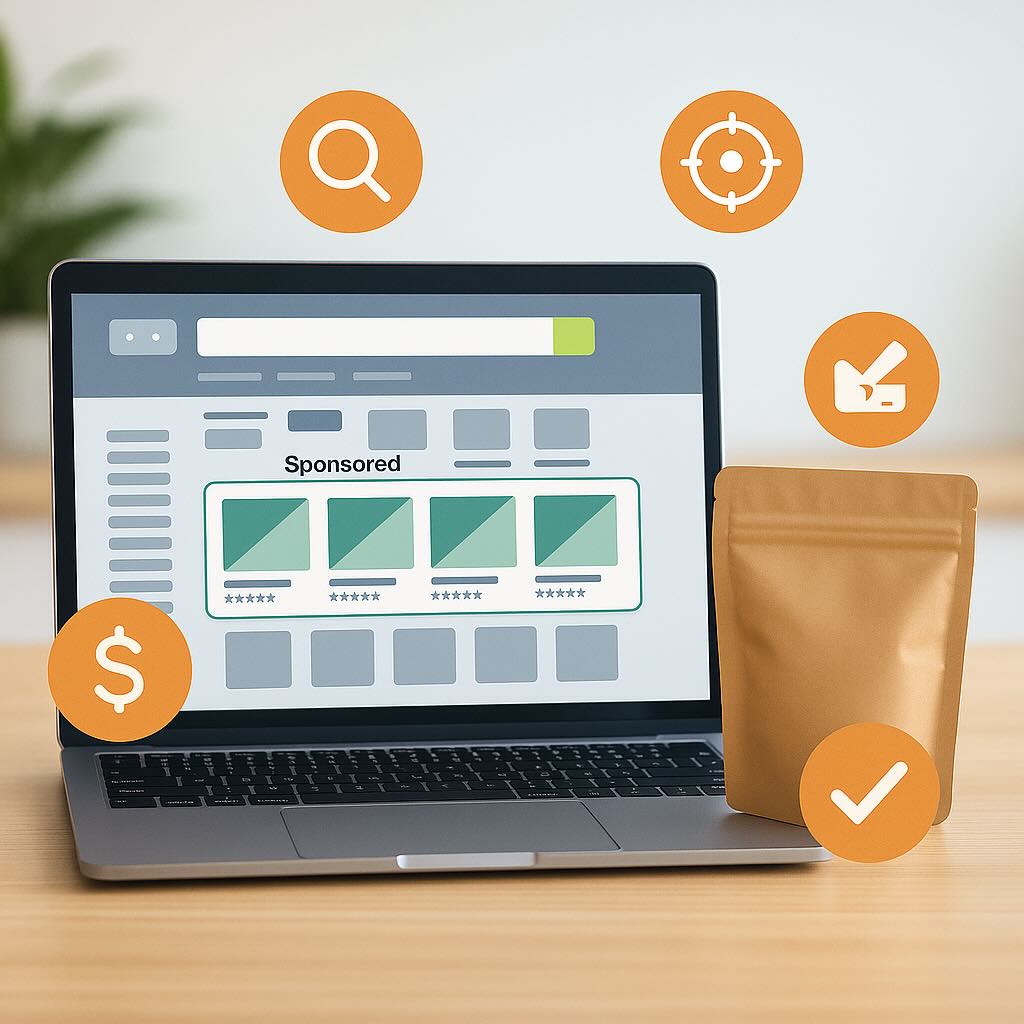
More buyers. Higher conversions. Stronger profit.
Trusted by 100+ Amazon brands



Reach buyers searching right now
Amazon Sponsored Products management places your listings inside search results and product pages, exactly where shoppers are ready to buy.
These ads lift visibility, conversions, and sales, and the extra traffic and engagement support stronger organic ranking over time. New-to-Brand reporting separates first-time customers from repeat buyers, so you can see real growth, not just recycled sales.
How Amazon Sponsored Products Work
Sponsored Products are keyword-targeted, pay-per-click ads that appear inside Amazon search results and on product pages.
They lift visibility, attract ready-to-buy shoppers, and drive conversions.
One standout benefit: unlike some other Amazon ad formats, Sponsored Products do not require Brand Registry to run.

Why Sponsored Products Move the Most Volume
Buyer Intent
at Peak
Sponsored Products sit one click from purchase, in front of shoppers with the strongest buying intent, so visibility, conversions, and sales follow.
Lift Organic
Rank Too
The traffic, sales, and engagement they drive also feed your organic ranking signals, so paid wins compound into organic ones.
Live Without Brand Registry
No Brand Registry required. Nearly any seller with live ASINs (Amazon Standard Identification Numbers) can run Sponsored Products from day one.
Spend
Control
Pay-per-click keeps you in control of bids, budgets, and pace, all adjustable in real time as performance shifts.
SETUP STEPS 1 to 2
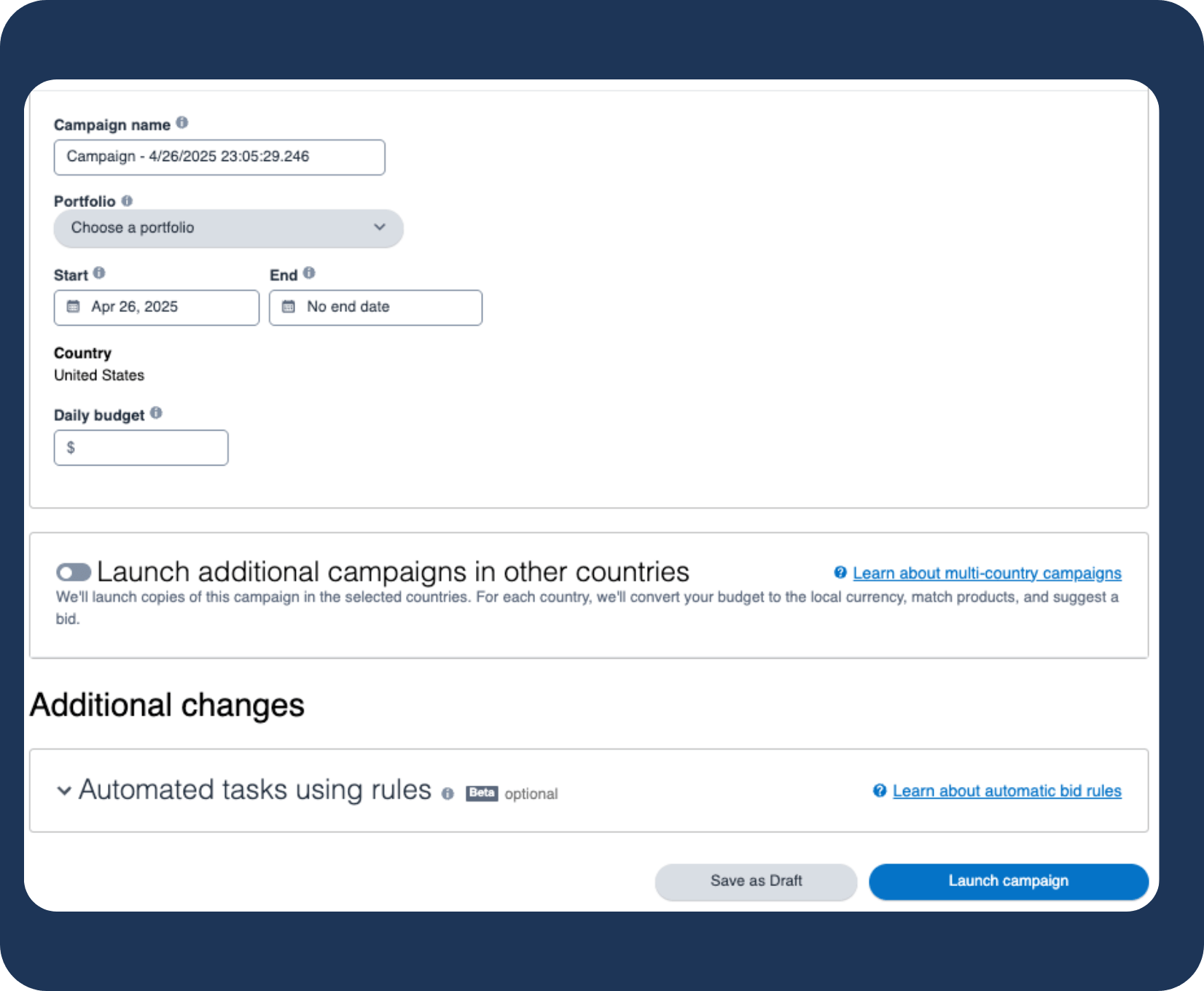
Open Your Campaign
Log into Amazon Seller Central and open the advertising area, or go straight to the Amazon Ads Console at advertising.amazon.com.
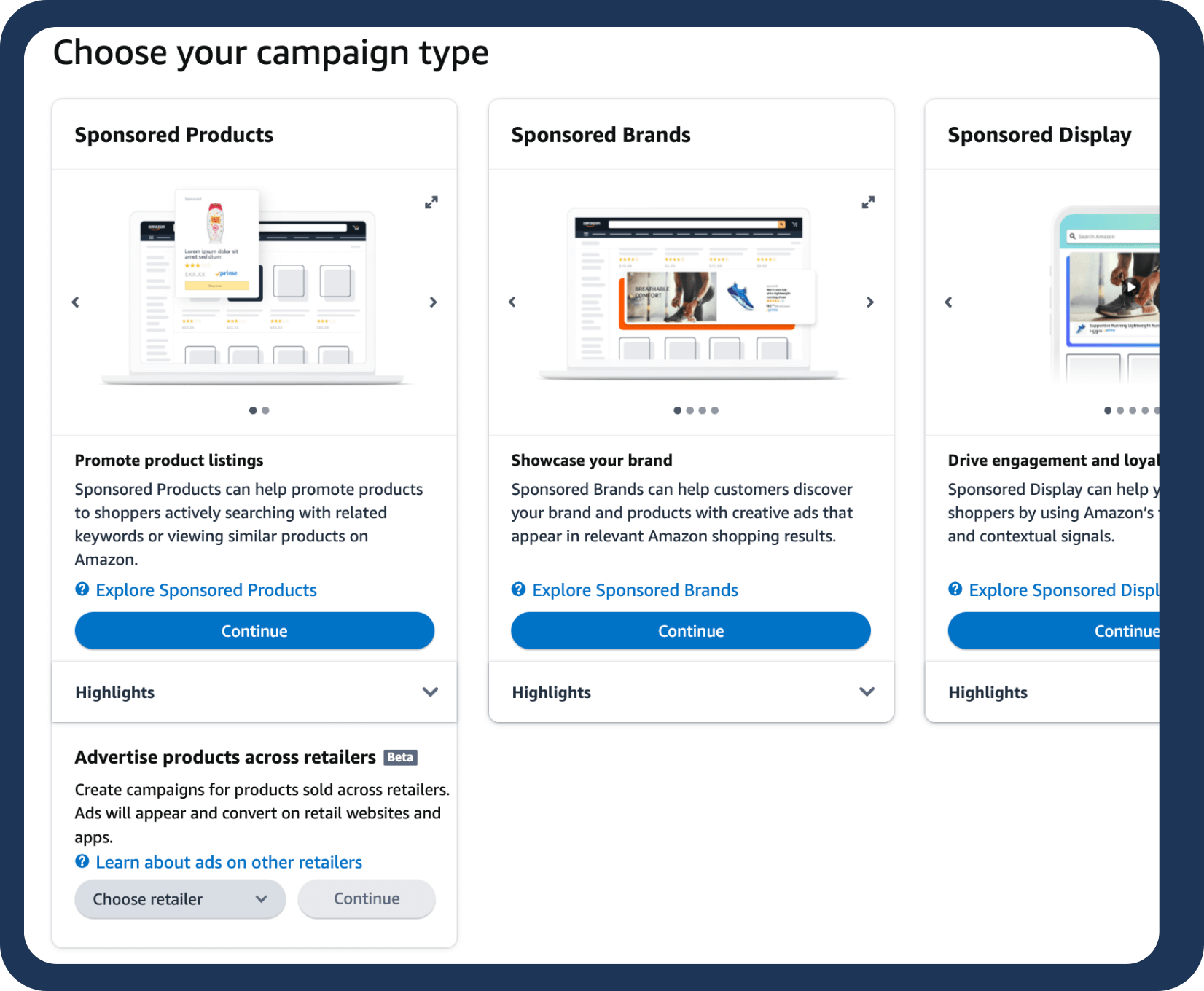
In Campaign Manager, create a new campaign and select Sponsored Products as the type.
Give it a clear name so it is easy to find later.
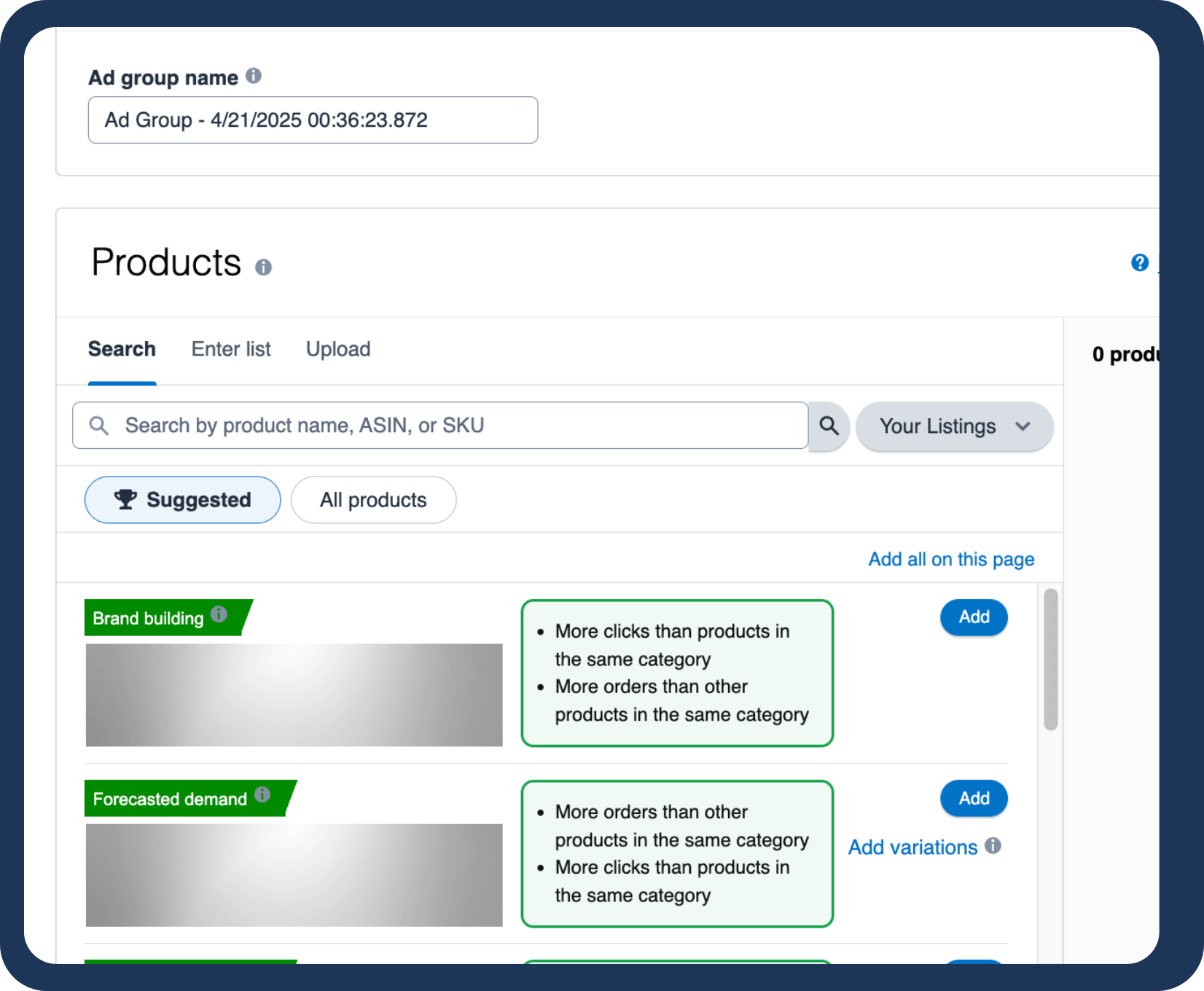
Pick the Products
Choose the products to advertise.
Each must be Featured Offer (Buy Box) eligible for its ad to serve.
You can still add out-of-stock items, but their ads stay paused until they are back in stock.
Run Amazon's
Top-Performing Ad Type
Sponsored Products are Amazon's most widely
used PPC (Pay-Per-Click) ad format.
Our management pairs keyword research, product targeting,
and conversion-ready listings to put your ads in
front of ready buyers.
Choose Your Targeting
Decide how your ads find shoppers.
Amazon Sponsored Products run on automatic or manual targeting.
Automatic uses your listing data to match searches for you.
Manual hands you the controls:
keywords, ASINs, categories, refinement filters, and negatives.
Targeting Types
Keyword Targeting
Bid on the actual search terms shoppers type. Three match types set how wide you reach: Broad, Phrase, and Exact.
Product Targeting (ASIN)
Put your ad directly on a chosen competitor's product detail page. You pick the exact ASIN.
Category Targeting
Place your ad across a whole Amazon browse category, reaching shoppers scanning the aisle rather than a single product.
Refinement Filters
Within Category Targeting, narrow by brand, price band, star rating, or Prime eligibility to cut impressions that will never convert.
Negative Targeting
Stop specific keywords or ASINs from triggering your ads. Negative Phrase, Negative Exact, and Negative Product Targeting each work as a separate layer.
Set Your Match Type Mix
In automatic targeting, Amazon uses four match groups to decide when your ads run.
Automatic Targeting Groups
Close Match
Your ad shows on searches closely tied to your product.
Loose Match
It shows on broader, loosely related searches.
Substitutes
It shows to shoppers viewing similar products from rival brands.
Complements
It shows to shoppers viewing items that pair well with yours.
Manual Keyword
Targeting
Manual keyword targeting lets you set match types, which control how closely a search must match your keyword
Match Types
Broad Match
It shows for your keyword plus related terms, variations, and synonyms.
Phrase Match
It shows when the search contains your phrase in order, with words allowed before or after.
Exact Match
It shows only when the search matches your keyword exactly or very closely.
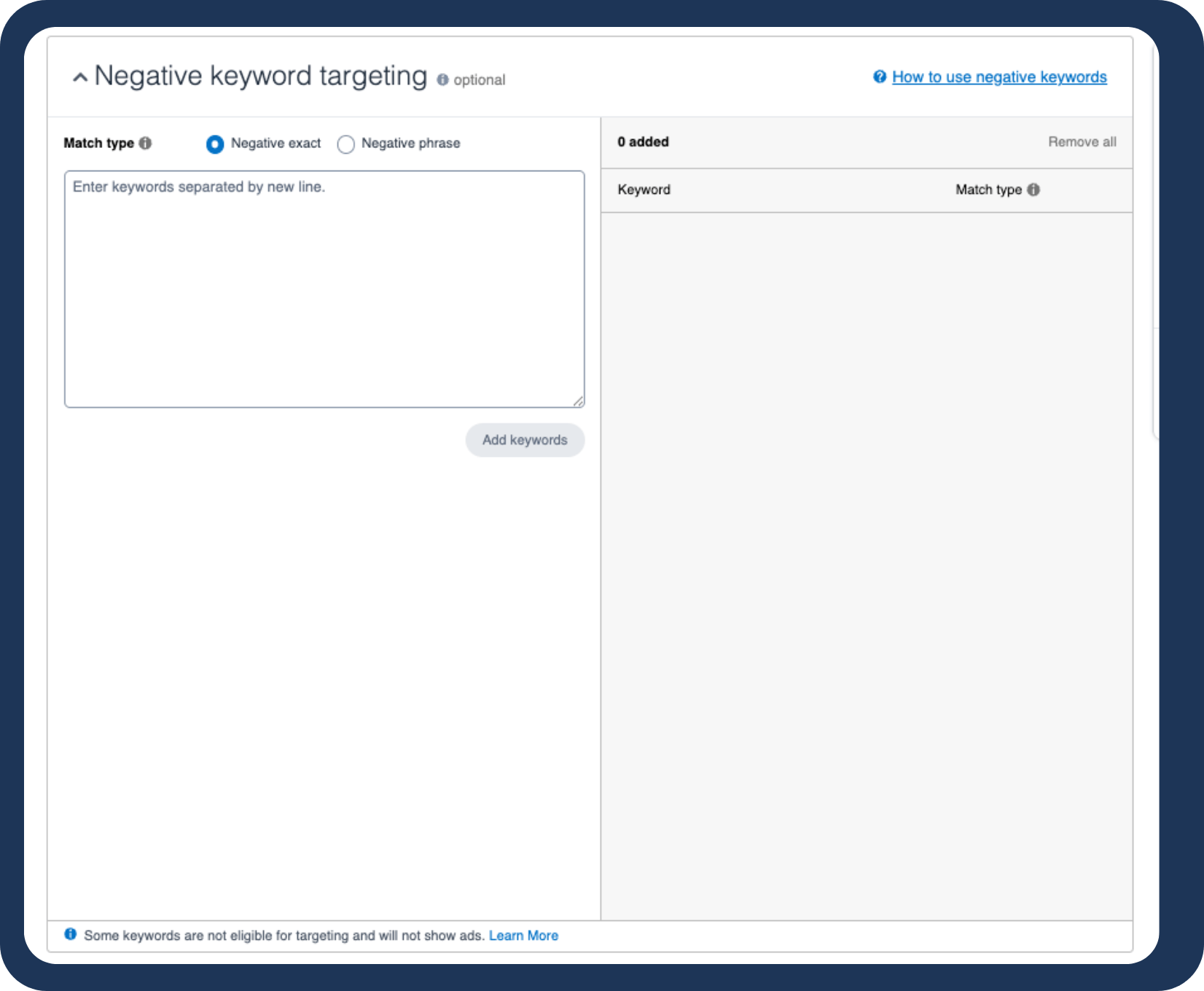
Apply Negative Keywords
Negative keywords and product targets keep your ads off low-converting searches.
Once data comes in, work the search term report and cut anything that draws clicks but no sales.
Less waste, tighter efficiency.
Find the Keywords That Convert
Stop guessing what shoppers type.
We mine real search data for high-converting
keywords that match shopper intent and lift organic traffic too.
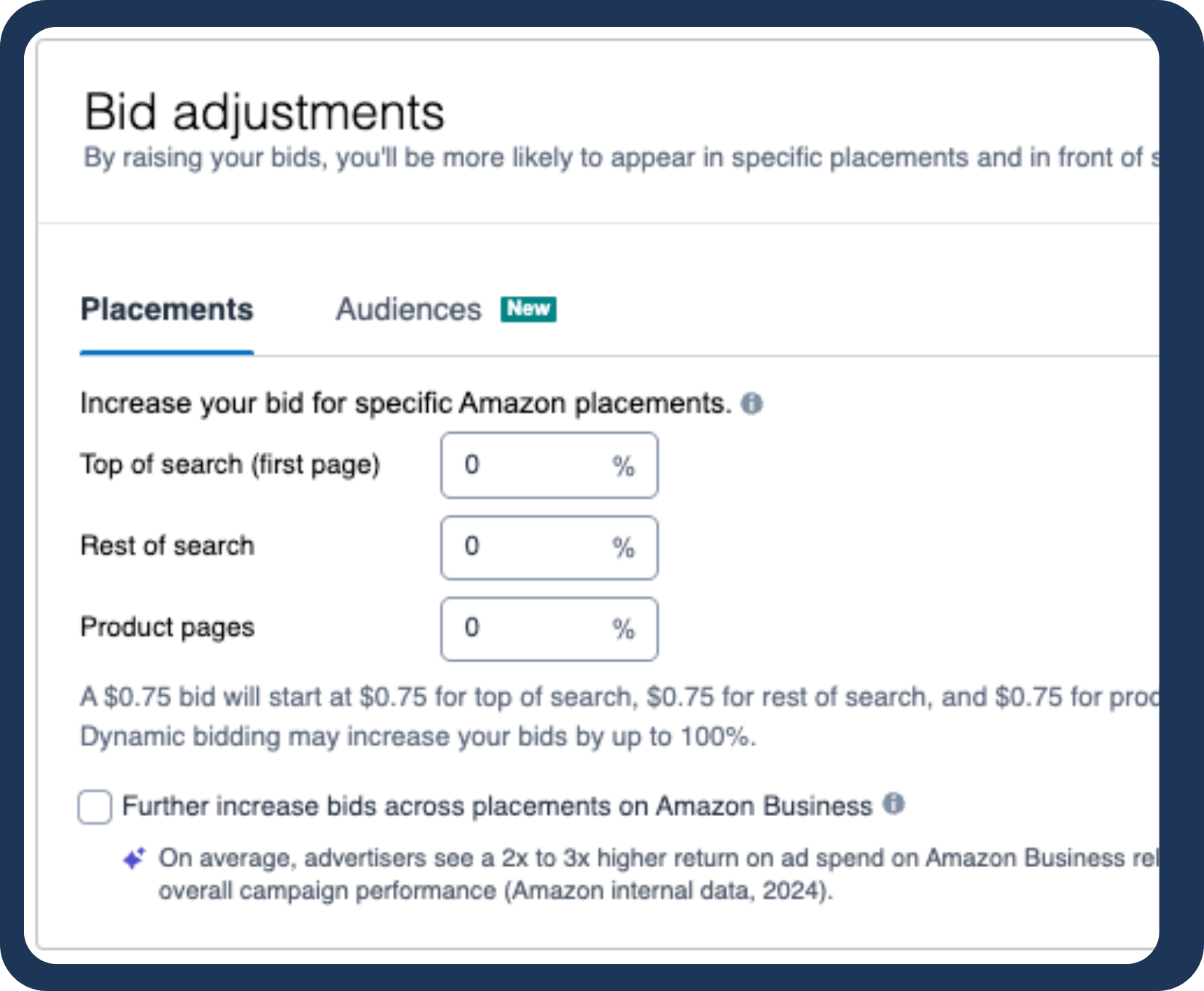
Manage Ad Placements
Sponsored Products run in search results and on product detail pages.
You cannot hand-pick a slot, but bids and placement modifiers shape where you land
- Higher bids can win top-of-search
- Moderate bids appear in less prominent spots
- Low bids may not show at all.
Choose Your
Bidding Strategy
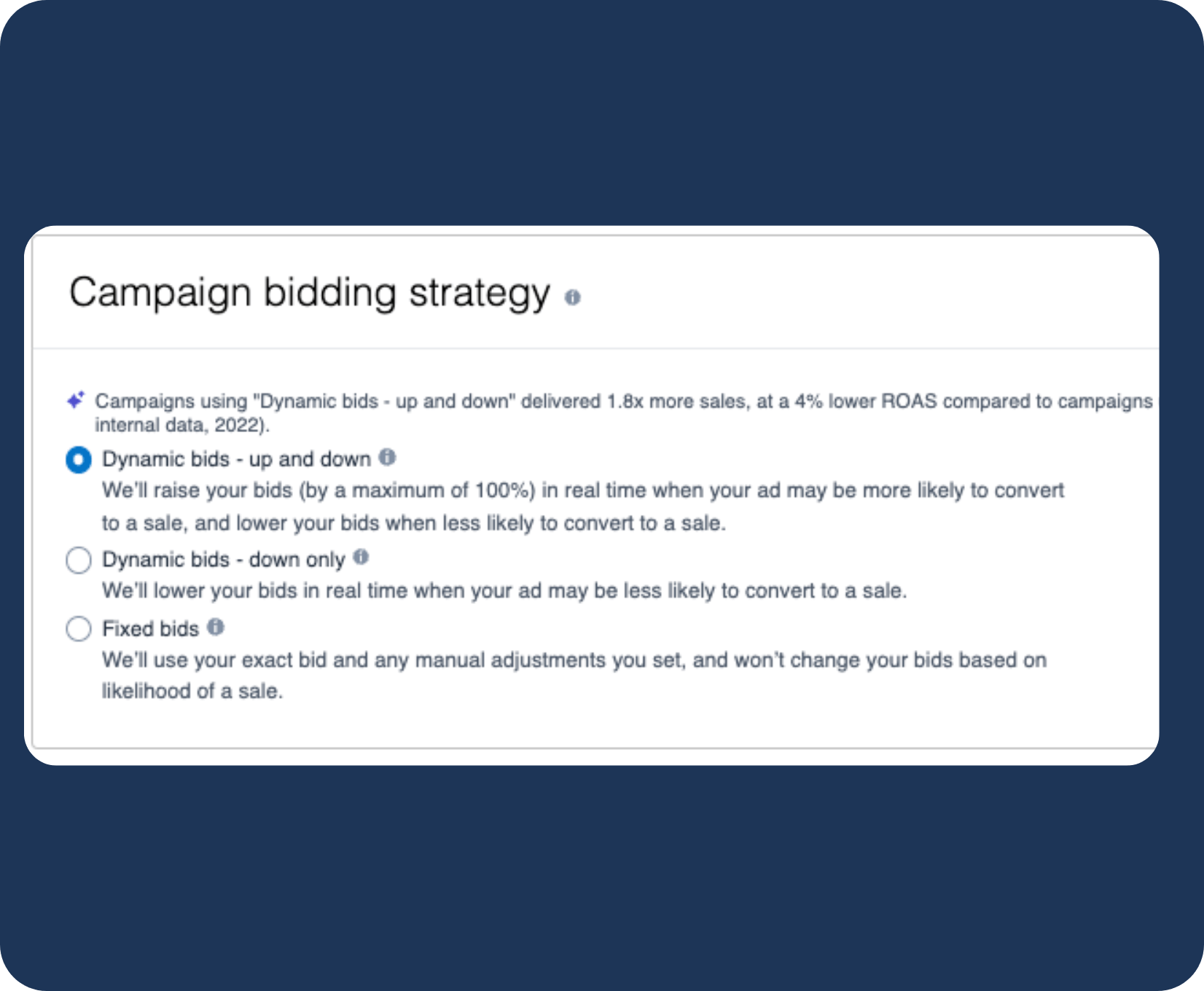
Your strategy decides how Amazon flexes bids by conversion likelihood, placement opportunity, and campaign goal.
Dynamic
Bid-Up and Down
Amazon raises the bid when a click looks likely to convert and lowers it when it does not.
Dynamic
Bid-Down Only
Amazon only lowers bids on weak-converting clicks, cutting waste while keeping the upside.
Fixed Bids
Your bid stays put with no auto-adjustment, giving you tight cost-per-click control.
Rule-Based Bidding
Set a target ACoS or ROAS and Amazon moves bids automatically to hold that threshold.
Go Live
Set a start date, add an end date if you need one, and submit.
Once approved, your ads run across every eligible Amazon placement.
Where Sponsored Products Campaigns Stumble

Finding the
Right Keywords
Discovery, branded, and conquest keywords each need their own list.
Generic seeds burn budget, so we mine Brand Analytics and Search Query Performance for terms that actually convert.
Choosing Targeting Options
Automatic targeting is fast but loose; manual is precise but heavy.
We set the right mix per product stage and category so budget goes where it earns.
Product & Bid Strategy
We advertise the products that convert and bid by margin per ASIN, not by keyword volume,
So no spend is wasted backing the wrong hero product.
Optimizing
Campaigns
We mine the Search Term Report every week.
Waste skipped for even one week compounds, and those lost dollars do not come back.
Building a Bid Plan
Dynamic Up/Down, Down Only, Fixed, or Rule-Based:
We match the bid strategy to your account stage so your bids work for you, not against you.
Reading Campaign Data
We read ACoS and TACoS alongside New-to-Brand sales and conversion rate,,
The full picture that turns weak ads into steady earners.
Storefront Practices That Lift PPC
Boost Customer Retention
1. New launches
2. Seasonal drops
3. Limited offers
An active Store earns Brand Followers and repeat sales.
Run Promotional Campaigns
Promote the Store off-Amazon, not just on it.
Sponsored Brands bylines route traffic to the full Store, not a single listing.
Ensure Device Compatibility
Optimize the Store for mobile, tablet, and desktop.
Most shoppers arrive on mobile, and a clean experience keeps the click.
Why Brands Pick Amplivus

Amazon Ads Depth
Years spent inside Amazon Sponsored Products management. It is the format we run most, every day.

Clear Reports
Weekly numbers in plain English: spend, clicks, impressions, conversions, and sales, with what changed and why.
Sharp Strategy
Bidding alone does not close the sale. Sharp positioning, visuals, and copy carry the click through to a purchase.
Done-For-You
Amazon Sponsored
Products Management
We review your account and scope, then send a tailored offer
with timeline and price.

Frequently Asked Questions?
What are Amazon Sponsored Products?

How Do Amazon Sponsored Products Work?
Why Should I Use Amazon Sponsored Products?
How do I launch a campaign?
Who handles my daily questions?
Who controls my ad account?
Is there a results guarantee?
Is there a long-term contract?
Any discount for upfront commits?