In this guide
- Run the audit in five steps
- Read the dated changelog before you touch a setting
- Check the bidding strategy on every new campaign
- Find the prompts you're already paying for
- Switch off assembled video, then check it stayed off
- Decide where your ads run off Amazon
- Choose your payment method before Amazon picks one
- Recheck every default the next day
- What you can't fix
- Your defaults audit checklist
- Where we fit
- Authoritative resources
- Frequently asked questions
Key takeaways
Five Amazon Ads settings that can change your spend without a click from you, with the date each changed and where to check it.
- Amazon's guide says the up and down bidding strategy can raise or lower bids by up to 100% for all placements.
- Sponsored Products and Sponsored Brands campaigns were auto-enrolled in prompts, billed per click from March 25, 2026.
- In a June 2026 forum thread, a seller reported that an unchecked video setting switched back on within minutes.
- From August 10, 2026, Sponsored Products campaigns were enrolled in creator placements at their existing bids and budgets.
- Advertisers Amazon contacted about payments move to account balance deduction unless they choose, a change deferred to August 1, 2026.
"Unchecking the box is reverting back after few mins." A seller wrote that in a Seller Forums thread on Sponsored Products settings in June 2026.
The box was a setting the thread's starter found on campaigns already built. It read: "Let us assemble product feature videos using features we identify in your existing assets."
Which Amazon Ads defaults should you audit in 2026? Audit five: bidding strategy, prompts, assembled video, off-Amazon reach, and payment method. Each check takes about 10 minutes in the console. Then look again the next day, because a box you unchecked may not stay unchecked. Write down what you found, with the date.
Run the audit in five steps
- List each default below with the date it changed.
- Open one campaign per ad type and read each setting.
- Pull the report that shows what each default spent.
- Change what you don't want, and screenshot the result.
- Recheck the next day, then once a month.
A default is the choice Amazon makes when you don't. Our pay-per-click (PPC) basics cover the oldest version of it: automatic campaigns, where Amazon picks your keywords and products. Defaults stretch that same trust to bids, placements, creative, and payment.
Read the dated changelog before you touch a setting
Most of these changes arrived as defaults, not as choices you made.
| Date | What changed | The default | Reported by |
|---|---|---|---|
| About 2023 | New Sponsored Products campaigns switched to up and down bidding after setup | Strategy changed without the seller | Seller Forums |
| Aug 16, 2025 | Amazon notice on Sponsored Products ads in outside apps and sites | Off-Amazon reach on by default | Seller Forums, citing Amazon |
| Nov 11, 2025 | Prompts open beta launched at unBoxed 2025 | Free during the beta | PPC Land |
| Mar 25, 2026 | Prompts became billable per click | Sponsored Products and Sponsored Brands enrolled | PPC Land |
| Apr 14, 2026 | Payment update for advertisers Amazon contacted | Account balance deduction if you don't choose | Amazon Ads |
| June 2026 | Assembled video setting on existing campaigns | Switched on, and reverted when unchecked | Seller Forums |
| Aug 10, 2026 | Creator placements added to Sponsored Products | Enrolled at existing bids and budgets | PPC Land |
| Sep 29, 2026 | Amazon Ads Agent announced | Replaces the Ads Console experience | MediaPost |
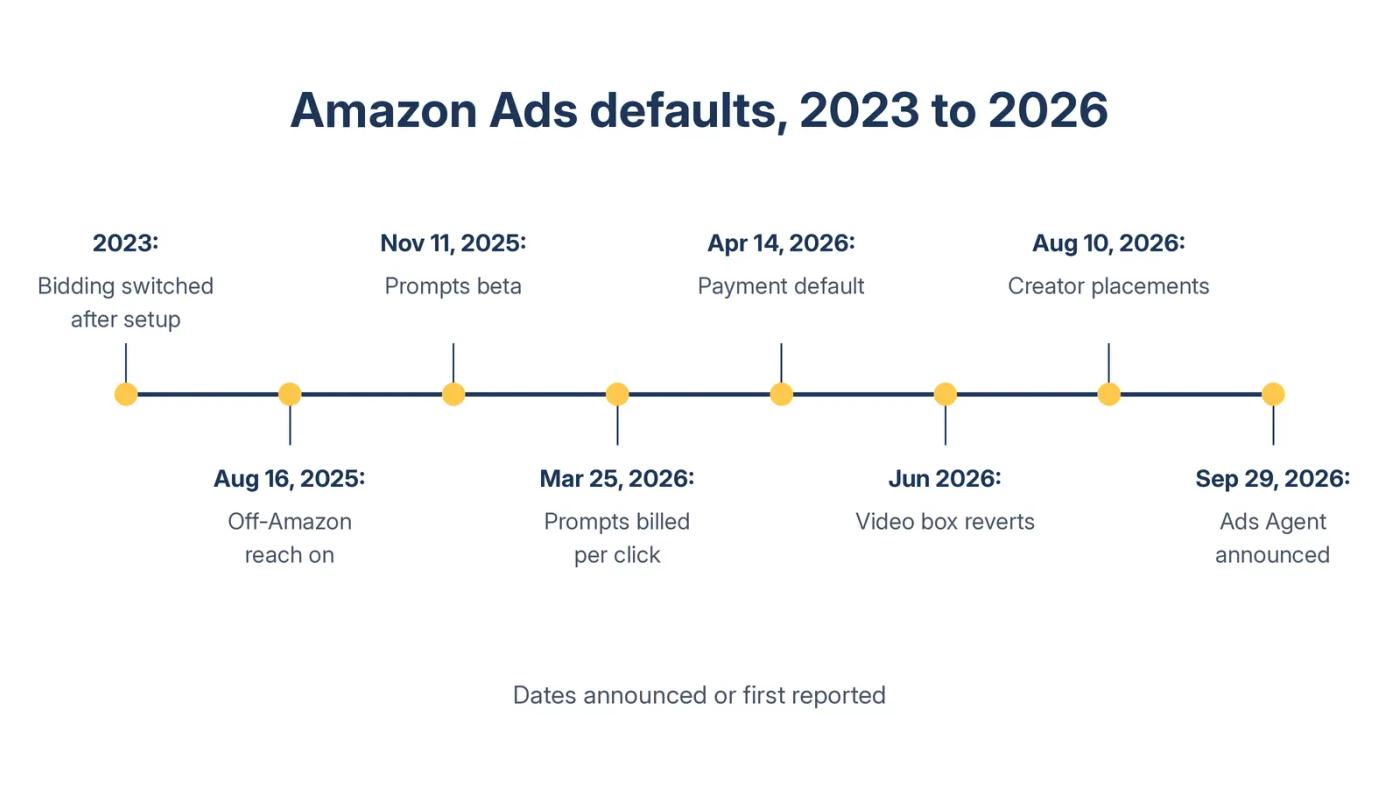
Two patterns repeat. New campaigns inherit the default. And sometimes live campaigns get it too. The June 2026 thread opened with: "Suddenly all of our existing campaigns had a required setting added."
How much weight each row carries
Three rows rest on seller reports, not Amazon documents: the 2023 bidding switch, the 2025 off-Amazon default, and the June 2026 video box. We include them for one reason. Each describes a setting you can see in your own console, so you can confirm it or rule it out in minutes.
The other five rows come from Amazon's own pages or from trade press reporting on Amazon's notices.
Our 2026 changes roundup calls the Amazon Ads Console the fuller home for newer features. MediaPost reported on September 29, 2026 that Amazon Ads Agent replaces that experience. So every setting below needs a fresh look after your account moves.
Do this: Copy the changelog into a sheet. Add one column for the date you last checked each row.
Check the bidding strategy on every new campaign
Bidding strategy decides how far Amazon can move your bid.
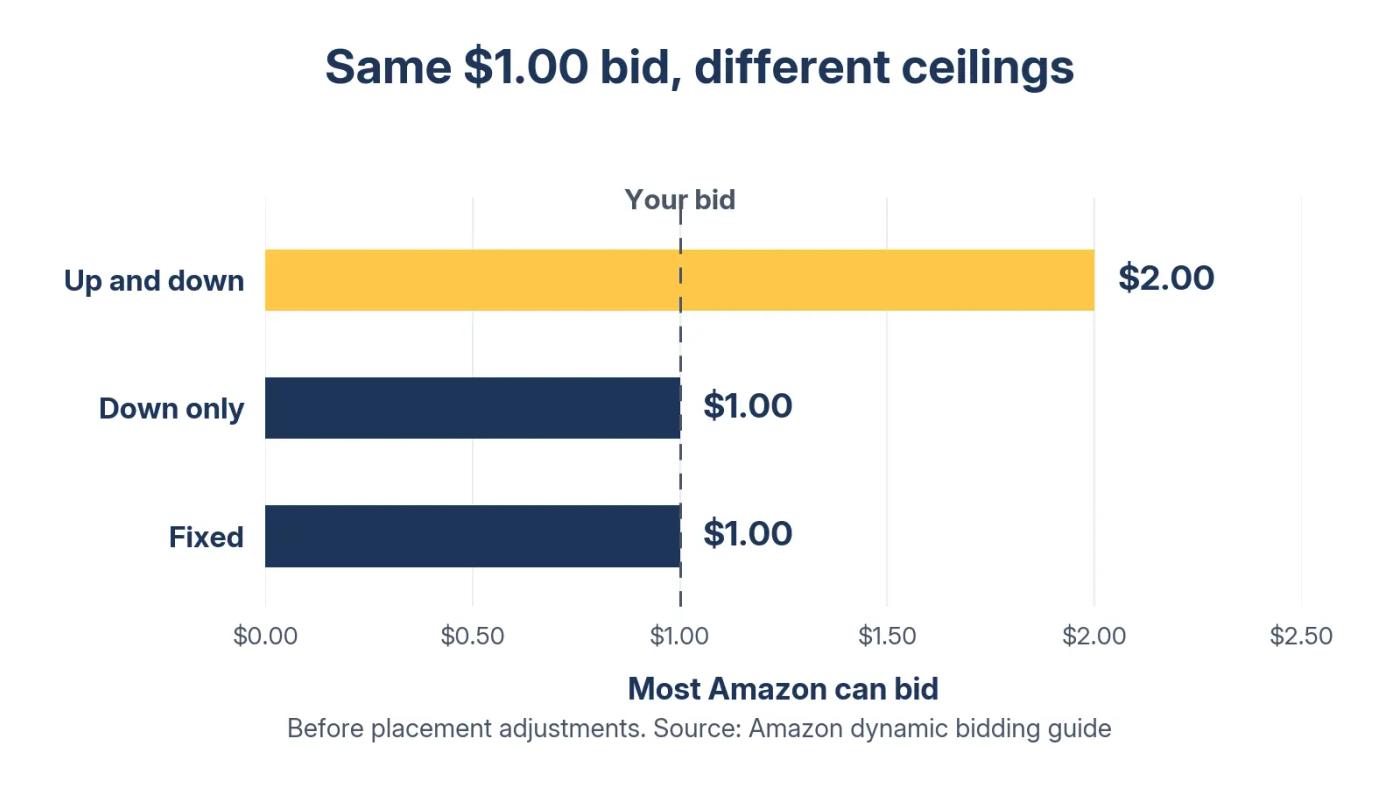
Amazon's dynamic bidding guide is plain about the up and down strategy. "We will increase or decrease your bids by up to 100% for all placements based on performance." Its own example is a $1.00 bid that can cost "a maximum of $2.00." It adds: "Ensure you are prepared to potentially spend double the amount of the bid you input."
What each strategy allows
| Strategy | Most Amazon can bid from a $1.00 bid |
|---|---|
| Dynamic bids, up and down | $2.00 |
| Dynamic bids, down only | $1.00 |
| Fixed bids | $1.00 |
Up and down limit from Amazon's dynamic bidding guide. Down only lowers bids but never raises them. Figures are before any placement adjustments you set.
Some sellers found it already set on new campaigns. One seller posted a list in a February 2026 Seller Forums thread. Settings on new Sponsored Products campaigns included "high default bids," "dynamic pricing set to up and down," and "increase reach off Amazon." The same seller called them "dark patterns designed to fleece sellers."
My read: intent is hard to prove from outside. The cost is not. Example: a $1.20 bid on up and down can cost up to $2.40 a click. At a $60 daily budget, that's as few as 25 clicks instead of 50.
When up and down can make sense
Amazon's guide makes the case that up and down can win more conversions than fixed or down only. That can be true and still lose money, if the extra clicks cost more than your margin allows.
My working rule: keep up and down only where a click at double your bid still pays. Example: with a break-even cost per click of $2.50, a $1.20 bid stays under it even at $2.40. A $1.50 bid would not, since doubled it reaches $3.00. If you're unsure where that line sits across your catalog, work it out in a strategy session before you switch anything.
Do this: Sort your campaigns by start date. Open each one created since your last check and confirm its bidding strategy is the one you chose.
Find the prompts you're already paying for
Prompts are a placement most brands never chose.
Prompts are sponsored questions written by artificial intelligence (AI) and shown with your ads, including inside Rufus, Amazon's AI shopping assistant. PPC Land reported on March 28, 2026 that they launched in open beta on November 11, 2025, at no cost to advertisers. From March 25, 2026, they became billable per click under your existing bids.
The same report says "Sponsored Products and Sponsored Brands campaigns will be automatically enrolled in prompts without any additional setup required."
Those are two of the three self-service ad types, so if you run either one, assume your campaigns are enrolled.
The June 2026 thread's starter asked: "Why are our Sponsored Product ads involuntarily paying for AI Prompts now?" The same seller said prompts were "actively taking from our campaign budget." And asked: "Why is the only option to PAUSE a prompt, and only once it has already charged to our account?"
Later, an Amazon moderator replied: "Pause them directly in the Prompts tab." My read: because prompts draw on the same budget, a prompt that wins clicks leaves less for the keywords you chose.
How to check prompts in 10 minutes
PPC Land gives the path: open a campaign, then the ad group, then Ads, then the Prompts tab. A Prompts report under Reports shows impressions, clicks, spend, sales, advertising cost of sales (ACoS), and return on ad spend (ROAS) for each prompt.
My working rule: judge a prompt once its clicks reach 3 divided by your conversion rate. At a 10% conversion rate, that's 30 clicks. No orders by then means it's not just bad luck.
Do this: Run the Prompts report for the last 30 days. Pause every prompt that has passed your click count with no orders.
Switch off assembled video, then check it stayed off
This is the box from the opening line.
The thread's starter found the setting "toggled ON" across their Sponsored Products campaigns. Then, on June 9, 2026, the starter wrote: "it appears the Auto-Assembled video setting has altogether disappeared."
An Amazon moderator later explained: "When creating new campaigns, this may be set to opt-in by default." The suggested fix: "You can pause or disable these at the ad group level via the 'Video' tab in Campaign Manager."
Amazon launched Sponsored Products video in the US on November 11, 2025. Its video guide says you can set bid adjustments for video, and "Bid increases will apply on top of other placement adjustments."
What Amazon may do to any video
Even a video you upload isn't always shown as you cut it. Amazon's video guide says "Video may be clipped based on placement/page/shopper intent." It adds that feature videos "can be automatically re-ordered based on customer shopping intent." And it says Sponsored Products video "may be shown in mobile search pages."
My read: cost is only half the risk. A video assembled from "features we identify" can say things you never scripted. For supplement, pet, or beauty brands, that's a claims risk as well as a spend risk.
If you want video that says only what you approved, Sponsored Brands video runs a cut you made yourself.
Do this: Open the Video tab in every ad group. Pause any assembled video you haven't watched, then reopen the tab the next day.
Decide where your ads run off Amazon
Sellers reported off-Amazon reach switched on by default in 2025. Creator content joined it in 2026.
In a 2025 Seller Forums thread, a seller found off-Amazon reach "auto-enabled by default." An Amazon moderator pointed to a notice dated August 16, 2025. The opt-out path given was to "open a case with Ads Support and request to be removed from this."
A seller in that thread pulled the numbers: "In our case, over the last 90 days those off-Amazon ads returned exactly zero orders." One account isn't a rule. It is a reason to pull your own placement report, which Amazon's October 25, 2023 launch notice named as the place off-Amaz
on results appear.
PPC Land's August 4, 2026 report says creator placements start August 10, 2026. Campaigns are "enrolled by default at their existing bids and budgets."
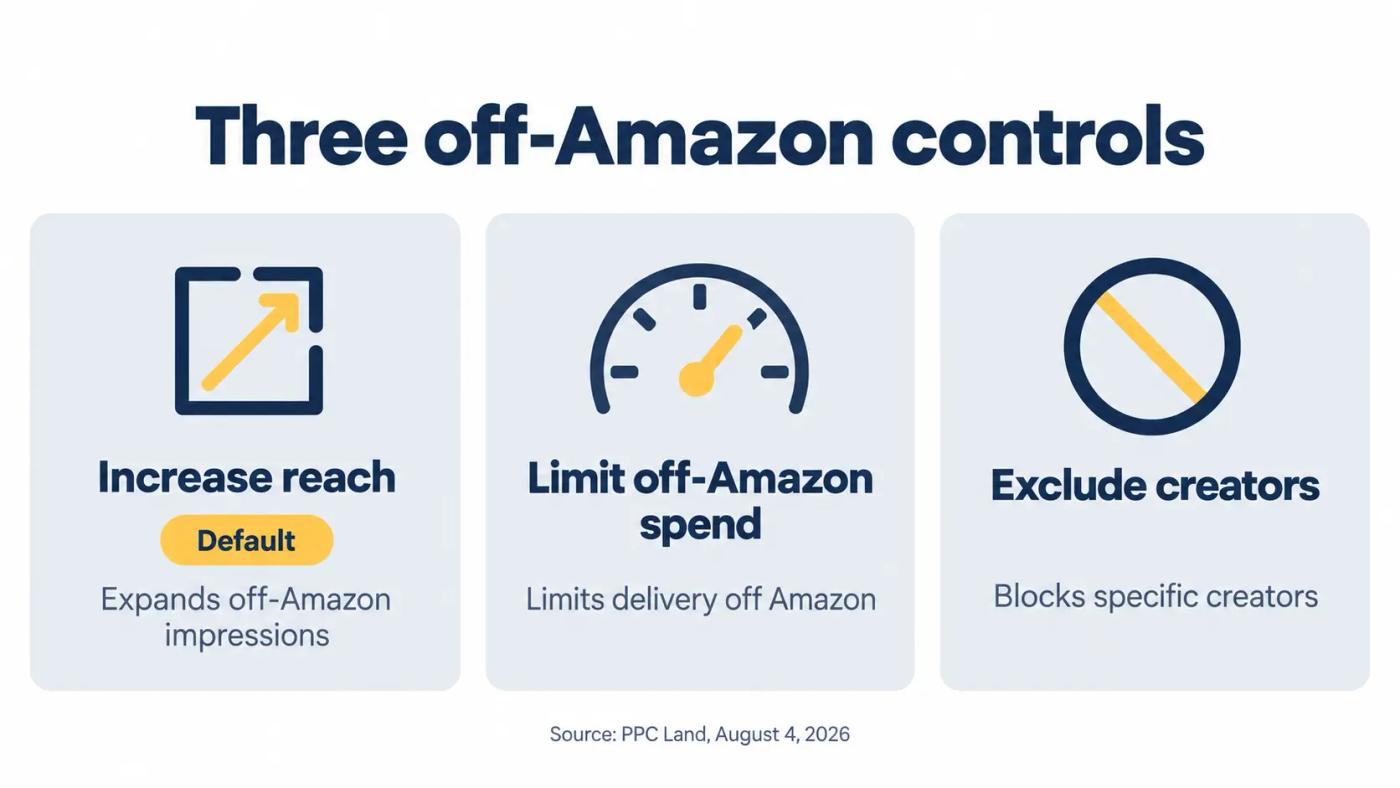
The three off-Amazon controls
| Control | What it does, per PPC Land |
|---|---|
| Increase reach | The default. Expands off-Amazon impressions |
| Limit off-Amazon spend | Limits ad delivery off Amazon |
| Creator exclusions | Blocks specific creators |
Source: PPC Land, August 4, 2026, citing Amazon's support page updated the same day.
The same report notes that top of search and product page bid adjustments "do not apply to off-Amazon placements." So your placement strategy stops at Amazon's edge.
Do this: Pull the placement report for 30 days. Note each campaign's off-Amazon spend and orders, then choose Increase reach or Limit on purpose.
Choose your payment method before Amazon picks one
Payment is a default too, and it moves cash rather than clicks.
Amazon's April 14, 2026 update says the change "applies only to the small group of advertisers who have been contacted directly." Those advertisers can pay from their seller or vendor account balance, or by Pay by Invoice. That means a monthly invoice, due 30 days later.
If an advertiser picks nothing, Amazon says it will "automatically update their default payment method to deduction from available seller or vendor account balance." The card on file stays as a backup.
PPC Land reported the change was first set for April 15, 2026. Amazon deferred it to August 1, 2026. Modern Retail reported on April 14, 2026 that sellers pushed back because the change would tie up operating capital to fund ad spend. The same report says Amazon noted that most advertisers already pay from their account balance.
Neither option changes the true cost of a click. It changes when the money leaves your business.
Example: at $40,000 a month in ad spend, Pay by Invoice pays May's bill about 30 days after May's invoice. Deduction pulls from your seller balance instead, before that money reaches your bank.
My read: that gap can be a month of ad spend, $40,000 here. If you're funding inventory for the fourth quarter, the timing matters more than the label on the method.
Do this: Open Billing in the Ads Console. Confirm which method is active, and switch to Pay by Invoice if you were contacted and want it.
Recheck every default the next day
A setting you changed once is not a setting you control.
The reverting box isn't new. A Seller Forums thread from about 2023 shows the same pattern. A seller picked down only on new campaigns, then wrote: "they all had their bidding strategies changed to 'Dynamic bids - up and down'." An Amazon moderator replied: "I won't be able to provide updates on this investigation."
The June 2026 thread asked Amazon to "Notify advertisers when changes affect live campaigns" and to "Log these updates in campaign History." The moderator wrote: "I don't have visibility into why these settings were introduced or removed the way they were."
What to log
| Date checked | Campaign | Setting | Found | Set to | Next-day recheck |
|---|---|---|---|---|---|
| Oct 26, 2026 | Brand, exact match | Bidding strategy | Up and down | Down only | Oct 27, 2026: still down only |
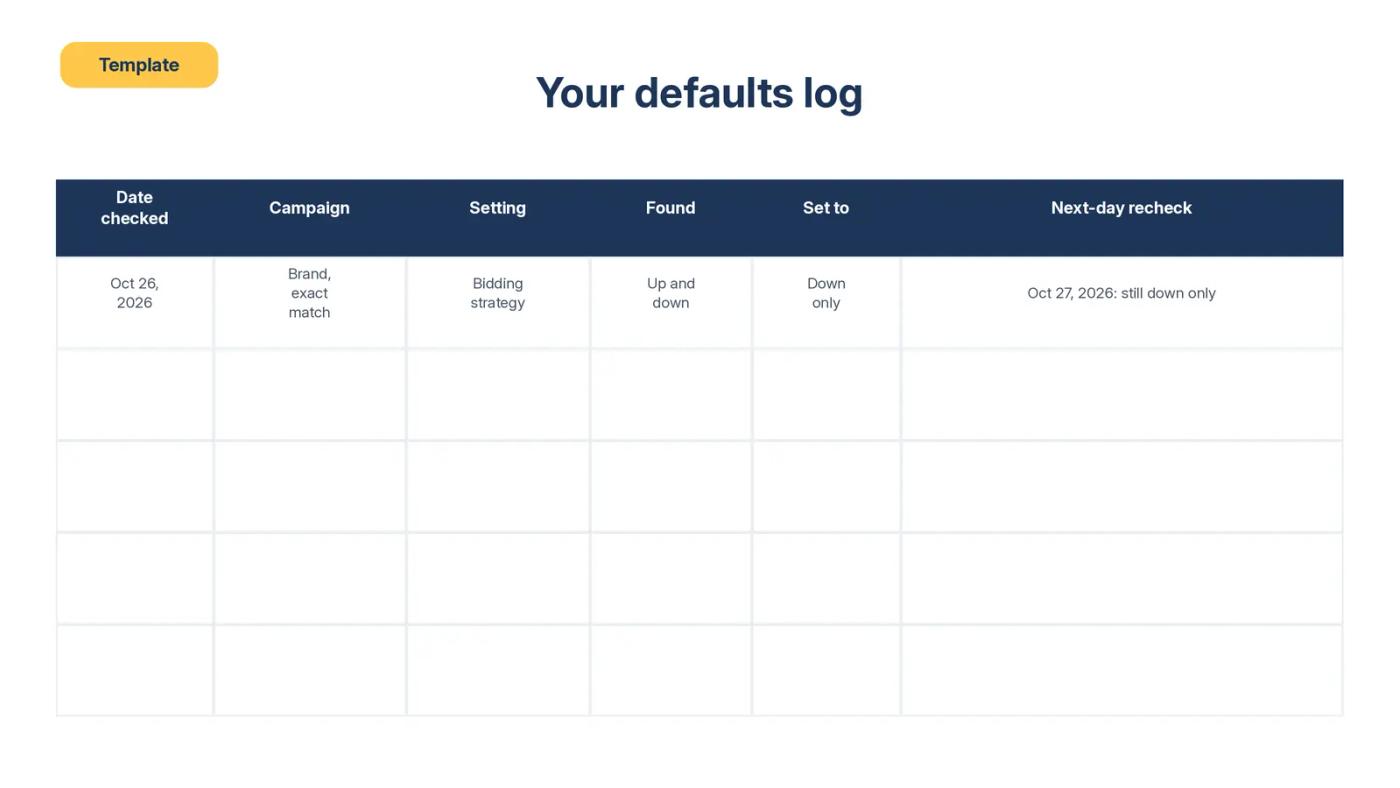
Recheck at three moments: the next day, once a month, and after any Amazon announcement. The next one to plan for is your move to Amazon Ads Agent.
Pair the monthly recheck with the Search Query Performance (SQP) report you already read each week. Our weekly SQP review routine sets a fixed day aside, so use the first one of each month.
Do this: Start the log today. Recheck every changed setting tomorrow at the same time, and screenshot both checks.
What you can't fix
You can't stop Amazon from adding new defaults. You can only find them sooner.
You can't count on campaign History to record changes Amazon makes. That's why your own log matters.
You can't switch off every default in one place. PPC Land describes pausing prompts one at a time, and Amazon's moderator pointed to the ad group level for video.
You can't know a setting will stay put until you look again.
And one limit on our side: this post uses Amazon's pages, trade press, and seller reports. We haven't yet published a client account where a default moved spend, before and after.
Your defaults audit checklist
- [ ] Bidding strategy on every campaign created since your last check
- [ ] Prompts report for the last 30 days, with no-order prompts paused
- [ ] Video tab in every ad group, with unreviewed assembled videos paused
- [ ] Off-Amazon row in the placement report, with Increase reach or Limit chosen per campaign
- [ ] Creator exclusions where content clashes with your brand
- [ ] Payment method in the Billing section of the Ads Console
- [ ] A dated log with a screenshot of every check
- [ ] A next-day recheck of every change
- [ ] A monthly recheck, plus one after each Amazon announcement
Where we fit
We're Amplivus, and we charge a flat monthly fee, never a cut of your ad spend. So a default that raises your spend doesn't raise our pay. We work with brands spending $10K or more a month.
Want a second set of eyes on what's switched on in your account? Ask for a free Amazon PPC audit. You get a written diagnosis with a prioritized action list within 24 hours. No pitch.
If you spend under $10K a month, run the checklist above yourself first.
Authoritative resources
- Seller Forums thread on assembled videoThe reverting box, prompt charges, and Amazon's replies.
- Seller Forums thread on new defaultsDefaults one seller found on new Sponsored Products campaigns.
- Seller Forums bidding strategy threadBidding strategies changed after setup.
- Amazon dynamic bidding guideThe up to 100% rule and the $1.00 example.
- PPC Land on billable promptsAutomatic enrollment, billing from March 25, 2026, and the Prompts tab.
- PPC Land on creator placementsDefault enrollment from August 10, 2026 and off-Amazon controls.
- Amazon update on advertiser paymentsThe account balance default and the August 1, 2026 date.