In this guide
- Find the leak in five steps
- Amazon support named the cause: cross-seller attribution
- Your ad needs the Featured Offer. The order does not.
- Brand-wide ad credit can reach products you never stocked
- Some ad sales are your own products, just not the advertised one
- Measure the gap with two reports you already have
- Rebuild ROAS on orders you filled
- Spend where your offer wins the buy button
- What you can't fix
- Your ad sales checklist
- Where we fit
- Authoritative resources
- Frequently asked questions
Key takeaways
Why Amazon ad sales can top your real sales, and which orders Amazon counts. Then how to rebuild return on ad spend (ROAS) on your own orders.
- A seller saw December ad sales above total sales. Amazon support named "Cross-Seller Attribution" as a cause.
- Amazon only shows your ad while you hold the Featured Offer, but several sellers can share one product page.
- One seller says $120,804.21 of Sponsored Brands and Sponsored Display spend got credit for $1,255,630.18 in sales he never made.
- Amazon advises winning the Featured Offer "ideally 90% or higher."
- Total advertising cost of sales (TACoS) divides ad spend by your own sales, so other sellers' orders can't inflate it.
$1,255,630.18 in ad-attributed sales. One seller says he never made them.
His verdict on a year of Sponsored Brands and Sponsored Display ads: "I COMPLETELY WASTED $120,804.21."
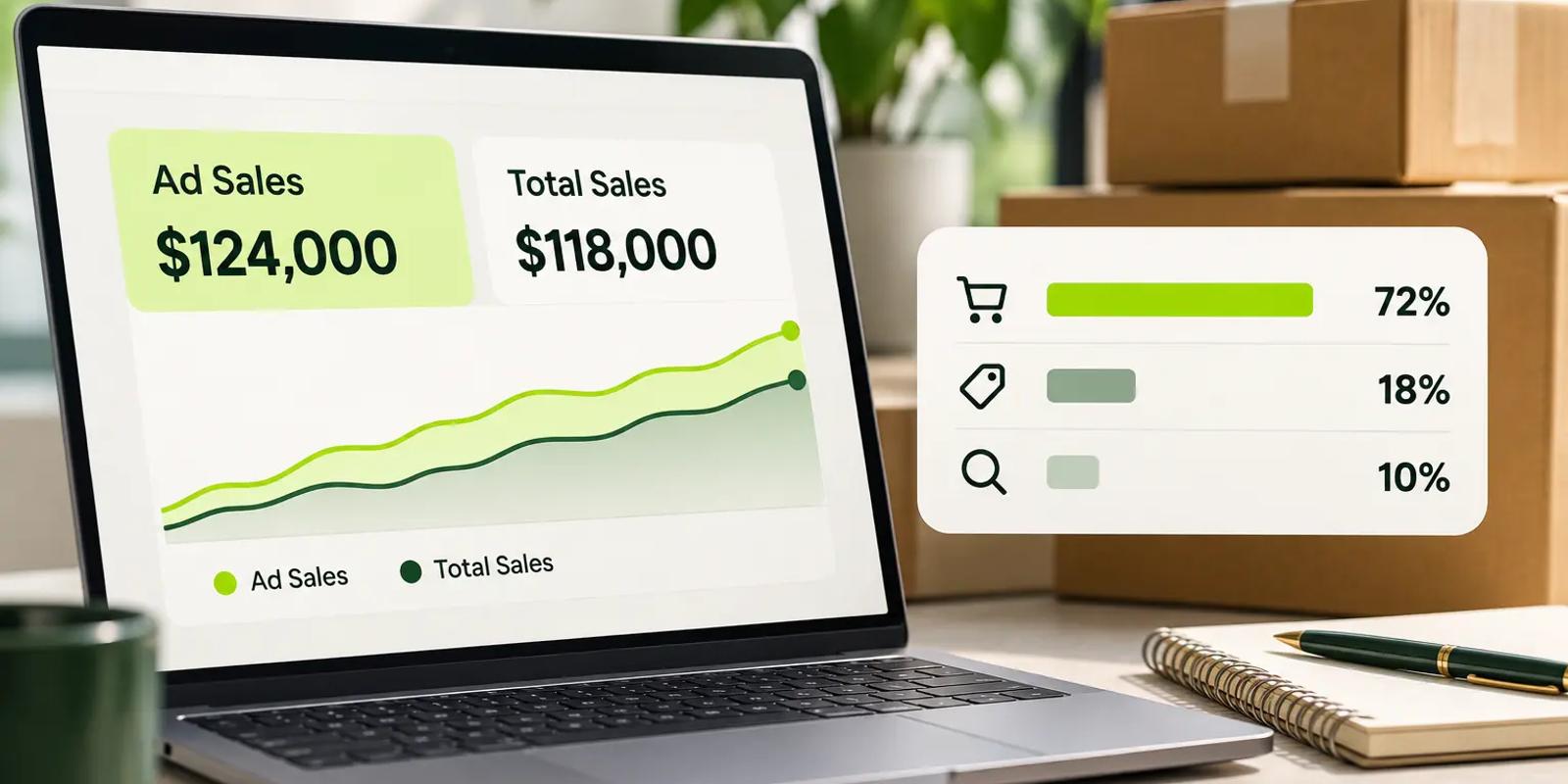
Why are your ad sales higher than your total sales? Ad credit follows your brand's products, not only your offers. Amazon support told one seller that ad-attributed sales "can include purchases of your brand's products made through other sellers or vendors." Until you check ad sales against your own orders, your ROAS may count someone else's sales.
Find the leak in five steps
- Compare one month of ad sales with Ordered Product Sales in Business Reports.
- Repeat the check for each advertised product.
- Pull the Featured Offer percentage for each of those products.
- Split brand-wide ad credit from sales of the product you advertised.
- Judge your ads on TACoS, which uses your own sales as the base.
Need the formulas first? Our pay-per-click (PPC) basics guide explains return on ad spend and TACoS in plain terms. Everything below assumes you can open Business Reports in Seller Central.
Amazon support named the cause: cross-seller attribution
The clearest proof comes from a seller who asked Amazon directly. In early 2026, they posted the answer on Amazon's Seller Forums under a blunt title: "Your ROAS May Include Sales From Other Sellers."
Their problem: "We ended up with more ad sales in December than sales and noticed it on individual days as well."
What Amazon's reply said
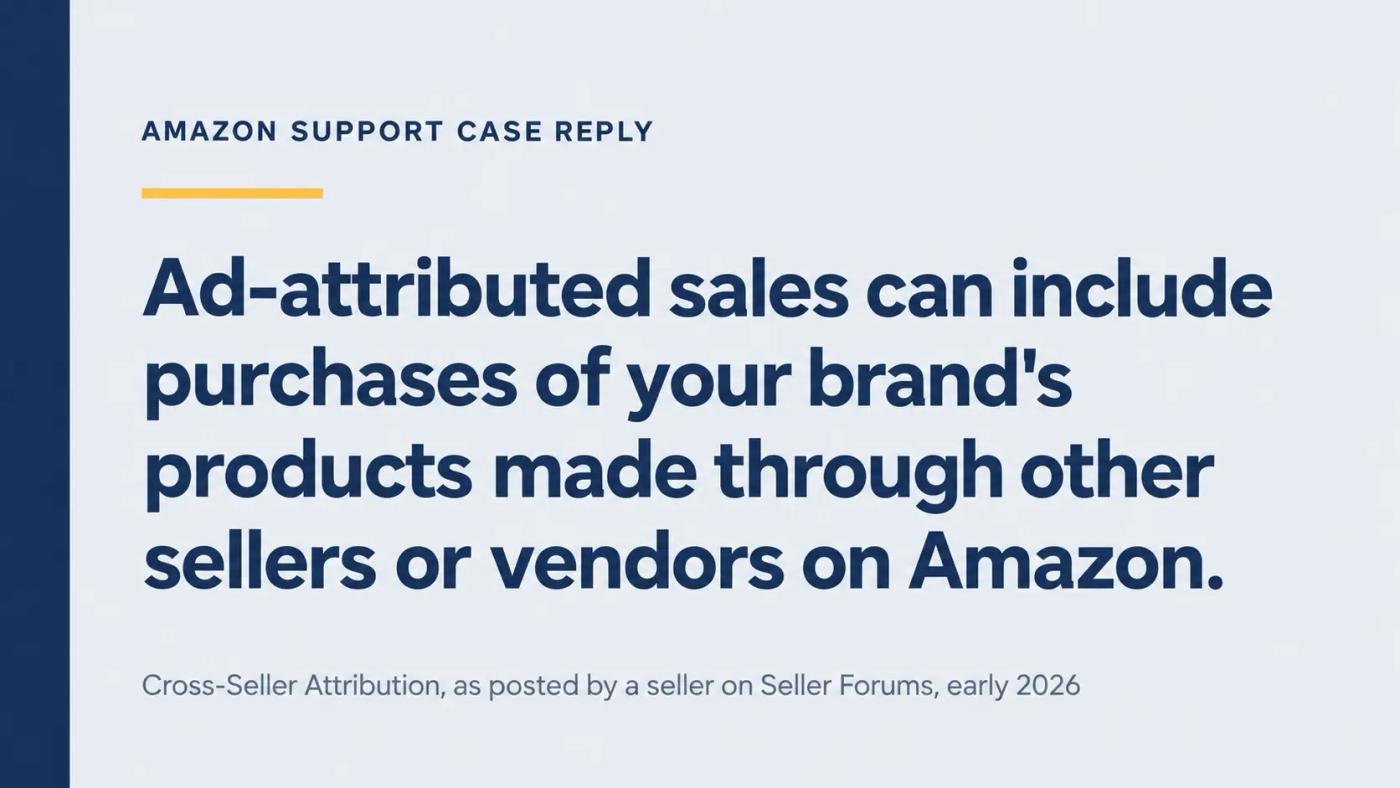
The seller opened a case. Amazon's reply listed "Cross-Seller Attribution" as a cause. It said: "Ad-attributed sales can include purchases of your brand's products made through other sellers or vendors on Amazon."
So the shopper still bought your product. They just bought it from someone else. One reply in the thread put it plainly: "OK, the customer still purchases YOUR product, but from another seller."
Why it slipped past the experts
The seller had raised it before. "I suspected this was happening, but when I asked the team that manages our ads, they said this wouldn't happen."
The replies split. One experienced advertiser called it common knowledge among professionals. Another seller had never heard of it.
That split is the real risk. If the people reading your reports don't know about it, nobody checks for it.
What it does to your numbers
ROAS is ad sales divided by ad spend. Other sellers' orders only ever add to the top of that fraction.
Take a made-up month. You spend $10,000 and Amazon credits $50,000 in ad sales, a ROAS of 5.0. If $15,000 of that came from other sellers, your own ROAS was 3.5.
Nothing in the console flags the difference. Our guide to choosing an agency backs transparent reporting for this reason. It calls a black-box dashboard that only shows a flattering headline a red flag.
Do this: Email your ads team one question today: does our reported ad revenue include orders filled by other sellers or vendors? Ask for the answer by month.
Your ad needs the Featured Offer. The order does not.
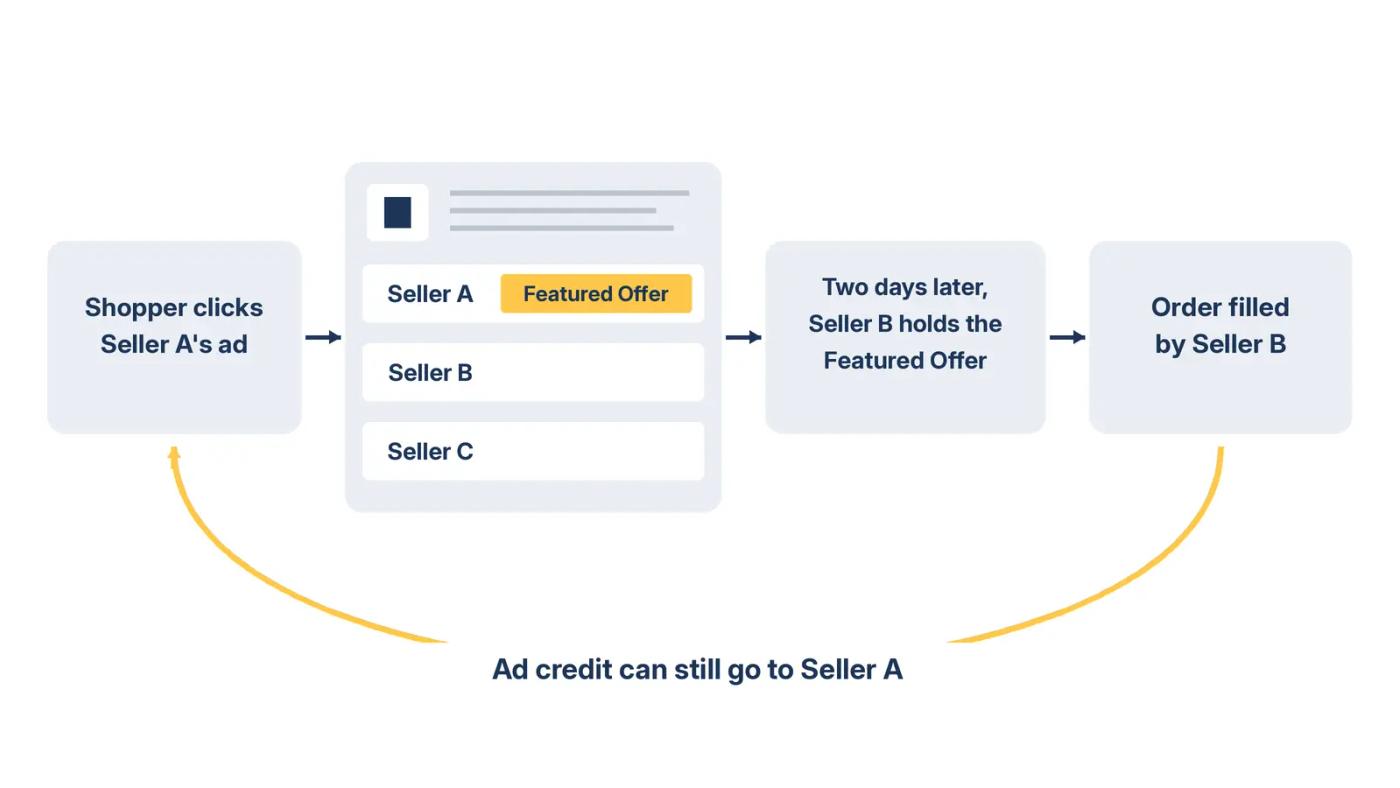
Amazon only shows your ad while your offer holds the buy button. The sale can still go elsewhere.
Amazon's new advertiser guide says your products "must also be eligible for the featured offer." It adds: "if your products aren't presenting the featured offer or are out of stock, your ad will not display."
One product page, many sellers
Amazon's guide to preparing products for ads explains the setup. "When multiple sellers offer the same product, Amazon combines the offers into one product detail page." Your ad sends shoppers to that shared page.
My read: a shopper can click your ad while you hold the Featured Offer. Then they compare offers, or come back two days later. By then another seller may hold the buy button. Amazon's reply suggests your ad can still get the credit.
The number that shows your exposure
Business Reports track this. An Amazon community manager describes the Featured Offer percentage simply: "This metric shows how often your offer appears as the Featured Offer."
A product at 98% almost never loses the buy button. A product at 60% loses it on four page views in ten. The lower the number, the more of your ad credit may belong to someone else.
Stock-outs open the same door
The same Amazon product guide adds two rules. Products "need to be in-stock" to be the featured offer. And an out-of-stock advertised product "will be automatically paused within your campaign."
My read: a sell-out hands the Featured Offer to another seller who still has stock. Shoppers who clicked your ad before the sell-out can still buy from them later. Watch your ad sales closely in the week after any stock-out.
Do this: Pull the Featured Offer percentage for every advertised product for the last 30 days. List every product below 90%.
Brand-wide ad credit can reach products you never stocked
Some ad reports credit sales across a brand, not just the advertised item. The case below shows how far that credit can reach.
The $1,255,630.18 figure sits in a Seller Forums thread titled "We have been paying advertising and a DIFFERENT VENDOR has been getting all the orders." The original poster wrote: "our ads were driving product sales to other Sellers with the same products."
The math behind "sales that I never made"
A reply laid out the numbers. He spent $120,804.21 on Sponsored Brands and Sponsored Display in one year. Amazon "attributed $1,255,630.18 in sales that I never made."
His explanation: "it was accrediting other sellers sales, even for products we didn't carry, as sales we made."
That is a reported return of $10.39 per $1. On paper, a star account. In his telling, a loss.
His warning: "if you are a Seller and you don't have total control of the Brand, you will LOSE BIG."
See which products got the credit
Amazon's reporting guide says the Sponsored Brands attributed purchases report "shows the specific products sold and attributed to your campaigns." That list is your evidence.
If you run Sponsored Brands as the brand owner, read that report before every budget change. A campaign full of credit for products you don't sell is not a winning campaign.
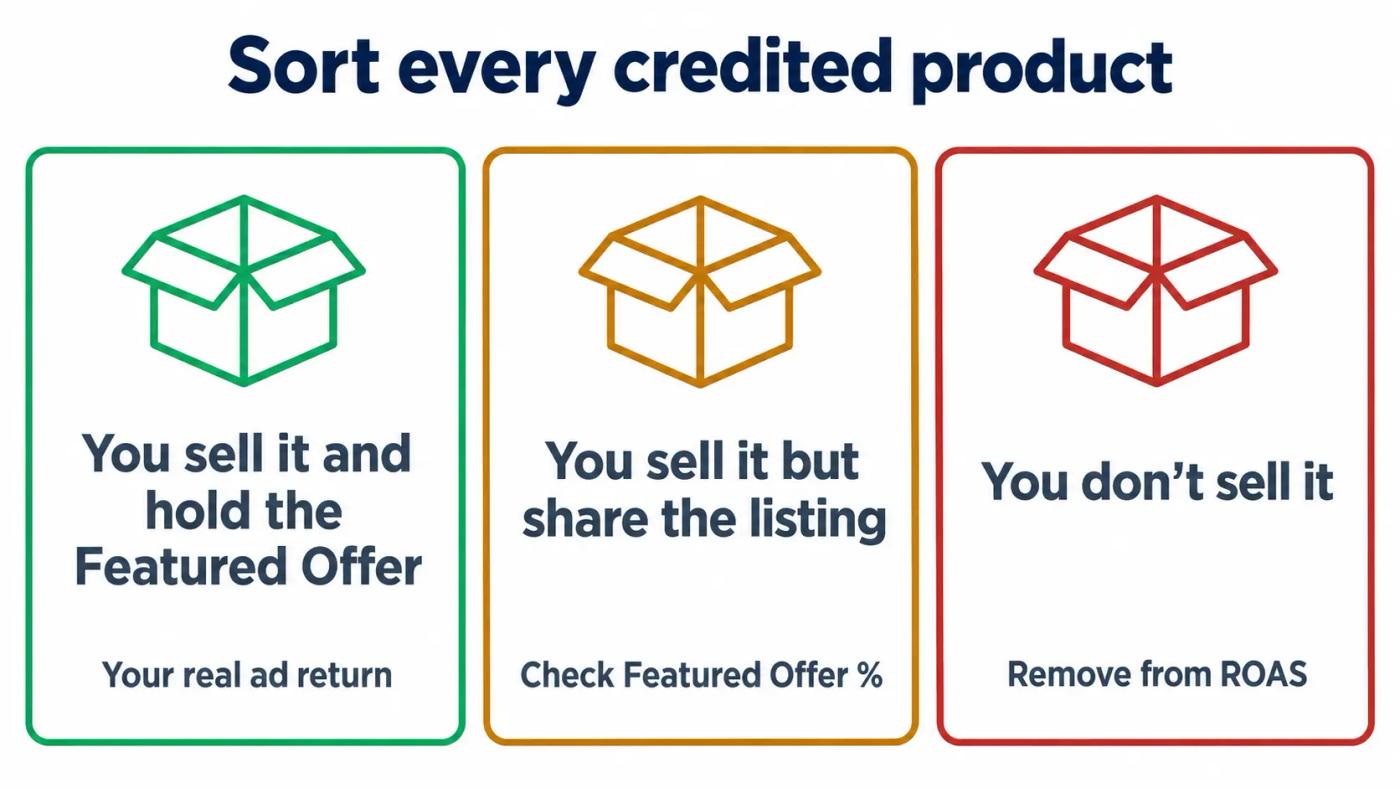
Sort the credited products into three groups
- Products you sell and hold the Featured Offer on most of the time.
- Products you sell but share with other sellers.
- Products you don't sell at all.
The first group is your real ad return. The second needs the Featured Offer check from the last section. The third is credit for someone else's sale, so strip it out of your ROAS before any budget call.
If the third group is large, go through the report with a senior Amplivus strategist in a 30-minute call.
Do this: Download the attributed purchases report for your Sponsored Brands campaigns. Highlight every product you don't sell.
Some ad sales are your own products, just not the advertised one
Not every surprise in your ad sales belongs to another seller. Some are your own orders for a different item.
A seller on the Sellers Ask Sellers forum hit this on October 20, 2024. "Basically, they are attributing a sale to my PPC even it's not that item the customer bought." He saw it with parent and child products and with virtual bundles.
That money is yours. But it changes what the number means. An ad for one size can collect credit for a sale of another size.
Is that bad? Not always. It is still revenue you earned. It just makes the advertised product look stronger than it is, so you may raise bids on the wrong item.
To check it, compare the advertised item's own sales with what its ads got credit for. Amazon's reports break attributed sales out by product, so the gap is visible if you look.
My read: this matters most for Sponsored Display ads, which often start a sale another ad type finishes. Judge them on the whole account, not one product's ROAS.
Do this: For your top advertised product, compare its ad sales with Ordered Product Sales for that exact product. A big gap means other items, or other sellers, ride on its ads.
Measure the gap with two reports you already have
Two exports and one month of data will show whether you have a problem.
Pull the two numbers
First, total your attributed sales across every ad type in the Amazon Ads console for one full calendar month. Second, open Reports, then Business Reports, in Seller Central. Note Ordered Product Sales for the same month.
Amazon says its standard model "credits a conversion to one ad click or view, usually the last ad encountered on the path to purchase." That line comes from Amazon's multi-touch attribution announcement, dated October 15, 2024. So adding your ad types together should rarely count one order twice.
Read the share
Divide ad sales by Ordered Product Sales. These are example numbers, not client data.
| Month | Ad sales (Ads console) | Ordered Product Sales | Ad sales share | What it means |
|---|---|---|---|---|
| Month A | $42,000 | $120,000 | 35% | Plausible |
| Month B | $95,000 | $110,000 | 86% | Check each product |
| Month C | $131,000 | $118,000 | 111% | Some credited orders are not yours |
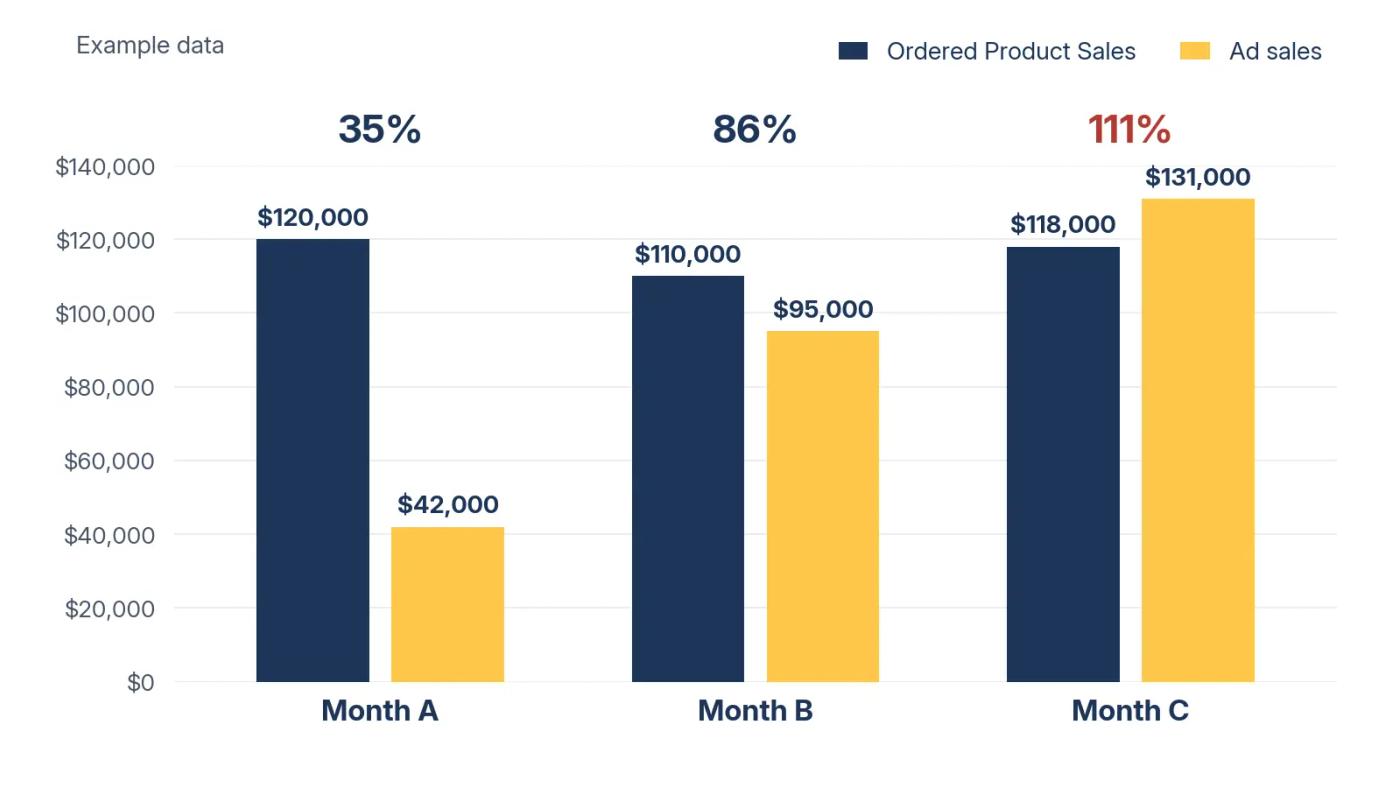
A share above 100% is impossible on your own orders alone. Something else is in the number. My working rule: above 80%, check product by product.
Allow for timing
Ad reports count purchases inside an attribution window after the click. Business Reports count orders placed in the date range. So single days will never line up. Compare full months, and expect a small gap at the edges.
If your numbers look like Month C, don't cut budgets yet. Find the products behind the gap first, or you may cut ads that work.
Do this: Run the month check for each of the last three months. Then repeat it by product for any month above 80%.
Rebuild ROAS on orders you filled
Judge your ads against your own sales, not against Amazon's credit.
Lead with TACoS
TACoS is total ad spend divided by Ordered Product Sales. Other sellers' orders never reach your Business Reports, so they can't flatter this number.
Example: $12,000 of ad spend against $96,000 of Ordered Product Sales gives a TACoS of 12.5%. We use the same base in our breakdown of the true cost of PPC, because it ties spend to your own revenue.
Cap the credit by product
Next, cap each product's ad sales at its own Ordered Product Sales. These are example numbers, not client data.
| Product | Ad sales | Ordered Product Sales | Featured Offer % | Ad spend | Reported ROAS | Capped ROAS |
|---|---|---|---|---|---|---|
| Product A | $18,400 | $41,000 | 98% | $4,600 | 4.00 | 4.00 |
| Product B | $22,900 | $19,600 | 61% | $6,500 | 3.52 | 3.02 at most |
| Product C | $9,800 | $10,100 | 74% | $3,500 | 2.80 | 2.80 |
Example math only. Capped ROAS = the lower of ad sales or Ordered Product Sales, divided by ad spend.
Product B is the warning sign. Its ads got credit for more sales than the product made for you, and its Featured Offer percentage is 61%.
Product A shows the healthy case. Its ad credit sits well under its own sales, and it holds the Featured Offer 98% of the time.
Even the capped figure is a ceiling. Some of those orders would have happened without the ad. An attributed sale is not an incremental sale until a test proves it.
Do this: Add TACoS to your weekly report, above ROAS. Then cap each product's ad sales at its own Ordered Product Sales.
Spend where your offer wins the buy button
Ad money works hardest where you hold the Featured Offer nearly all the time.
Amazon's advice, from the same new advertiser guide: make sure you win the featured offer "ideally 90% or higher." The guide also says sellers can check that rate "under the 'Reports' tab in Seller Central."
Set a rule for shared listings
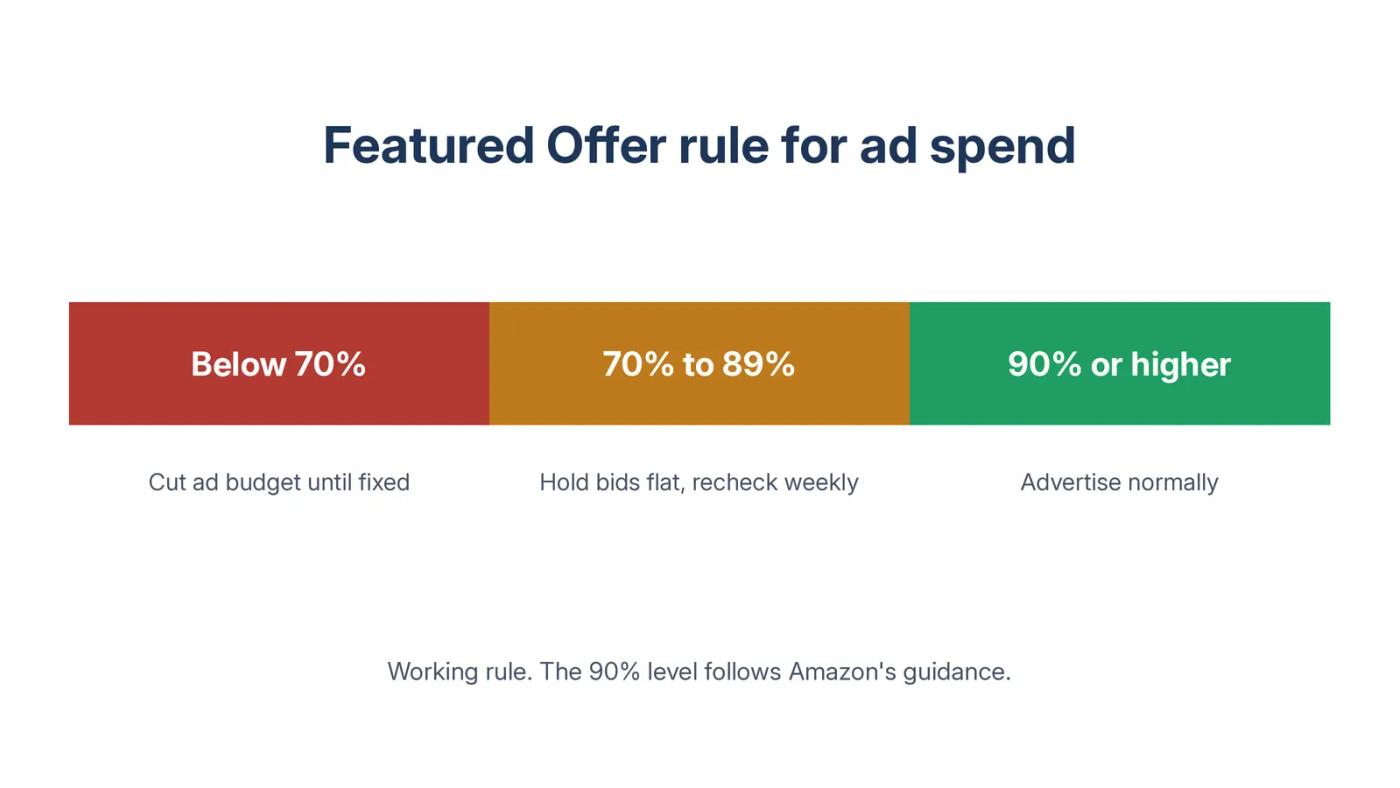
My working rule, not an Amazon one:
- 90% or higher: advertise normally.
- 70% to 89%: hold bids flat and recheck weekly.
- Below 70%: cut the ad budget until you fix the cause.
Start with your busiest products
Amazon's guide pairs the rate with traffic. "It's best to look for a high featured offer percentage paired with a high number of sessions to the product detail page."
A busy product at 70% loses more orders in total than a quiet one at the same rate. So fix the busiest products first.
Fix the cause outside your ads
The Amazon community post cited earlier gives the checklist: "Check your pricing, shipping speed, and seller performance metrics if your Featured Offer percentage is declining."
If the other sellers are your authorized resellers, agree on who advertises which products. If you don't know who they are, that is a brand protection question. Bids won't answer it.
Do this: Tag every advertised product with its 30-day Featured Offer percentage. Apply the rule before your next budget increase.
What you can't fix
You can't see which seller filled each attributed order. The attributed purchases report lists products, not sellers.
You can't switch cross-seller attribution off. We know of no setting that does it.
You can't make the two reports match to the day. Timing gaps at the edges are normal.
You can't fix a shared listing with bids. Price, stock, and seller metrics decide the Featured Offer.
You can't tell from these reports whether a reseller's sale replaced one of your own. That takes a test, not a report.
And one limit on our side: this post uses public cases, not our client data. We have not measured how often this happens across accounts.
Your ad sales checklist
- [ ] Ask your ads team, in writing, if ad revenue includes other sellers' orders
- [ ] Compare ad sales with Ordered Product Sales for the last three months
- [ ] Repeat the check by product for any month above 80%
- [ ] Pull the 30-day Featured Offer percentage for every advertised product
- [ ] Download the Sponsored Brands attributed purchases report
- [ ] Highlight every credited product you don't sell
- [ ] Add TACoS to your weekly report, above ROAS
- [ ] Cap each product's ad sales at its own Ordered Product Sales
- [ ] Cut ad budgets on products below 70% Featured Offer until fixed
Where we fit
As an Amazon PPC agency paid a flat fee, we report TACoS every week, next to advertising cost of sales (ACoS). Ad credit alone never decides a budget.
Want an outside check on your ad numbers before the next budget call? Our free Amazon PPC audit is a written diagnosis with a prioritized action list, delivered in 24 hours. No pitch.
If you are the only seller on every product you advertise, and you spend under $10K a month, run the checks above yourself.
Authoritative resources
- Seller ForumsCross-seller attribution: a seller's December ad sales above total sales, with Amazon's case reply.
- Seller ForumsDifferent vendor case: the $120,804.21 spend and $1,255,630.18 credited sales case.
- Amazon Ads new advertiser guideFeatured Offer rules for ads and the 90% guidance.
- Amazon Ads product readiness guideHow multiple sellers share one product detail page.
- Amazon community post on Business ReportsWhat the Featured Offer percentage measures.
- Amazon Ads multi-touch attributionHow standard attribution credits one ad.
- Amazon Ads reporting guideWhat the Sponsored Brands attributed purchases report shows.